
Let’s be real: most of us reuse the same email for almost everything—shopping, banking, social media, subscriptions, work logins… you name it. If even one of those sites faces a security breach, your email could end up on the dark web without you knowing.
So in today’s blog post, I’ll explain how to check if email was leaked using safe and trusted methods. I’ll also show how to protect your account afterward, because checking alone isn’t enough—you need to lock things down too.
Why Should You Check If Your Email Was Leaked?
Before we jump to the tools, it’s worth understanding why this matters. When your email ends up in a data breach:
- Hackers may try password guessing
- You may receive phishing emails
- Your accounts could be at risk
- Identity theft becomes possible
- Your email gets added to spam lists
Most people don’t even know their email is compromised until something goes wrong. That’s why doing an email breach check from time to time is a smart habit.
Best Ways to Check If Email Was Leaked in a Data Breach
The following are some of the most reliable and popular platforms that enable you to track down a data breach in seconds. These applications do not save your password or request sensitive information—only your email ID.
1. Check If Email Was Leaked Using “Have I Been Pwned”
This is the most popular and reputable website for checking email breaches.
Steps:
- Go to “Have I Been Pwned” (search on Google).
- Enter your email address.
- Click Pwned?
- The site will instantly tell you if your email appeared in any known data breach.

Why It’s Reliable?
- Trusted by cybersecurity experts
- Maintains one of the biggest breach databases
- Completely free
- Sends optional breach alerts
If you’re doing this for the first time, this tool is the best starting point.
2. Use Firefox Monitor (Another Trusted Option)
Firefox Monitor taps into the Have I Been Pwned database, but offers a slightly different interface.
How to use it?
- Visit Firefox Monitor.
- Type your email.
- Click Check for breaches.
- If leaks are found, it shows where and when the breach happened.
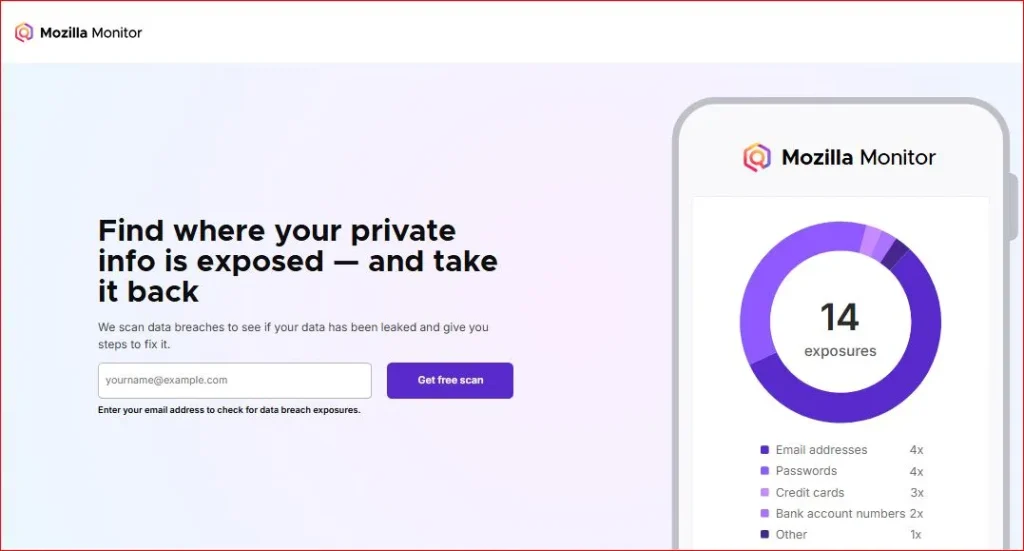
Many users prefer its clean interface and email alert system.
3. Use an Email Leak Scanner Tool from Your Password Manager
If you use tools like:
- 1Password
- Bitwarden
- Dashlane
- LastPass
…you already have access to a built-in email leak scanner.
Most password managers analyze:
- Leaked passwords
- Compromised emails
- Weak logins
- Reused passwords
Why this is useful?
Because password managers check leaks continuously, not just once.
4. Run an Exposed Email Search with Security Apps
Many security apps now include Data Breach Monitoring. Popular ones include:
- Norton
- Kaspersky
- Avast
- McAfee
These apps are constantly monitoring the dark web, and let you know If your email appears somewhere it shouldn’t.
Some of them cost money, but plenty also offer free single reports.
What To Do If Your Email Was Leaked?
Checking is only step one. If the tools confirm that your email was exposed, here are the next important steps.
1. Change Your Password Immediately
If you’ve been using the same password for multiple sites (which many of us do), change it immediately.
Tips for strong passwords:
- Use at least 12 characters
- Avoid dictionary words
- Don’t use name, birth date, or phone number
- Mix letters, numbers, and symbols
2. Enable Two-Factor Authentication (2FA)
Even if someone gets your password, 2FA blocks unauthorized logins.
Use:
- Authenticator apps (best)
- Hardware keys
- SMS (least secure but better than nothing)
3. Remove Old or Unused Accounts
Many breaches come from websites you forgot you even signed up for.
Delete accounts you no longer use.
You can search “find old accounts by email” to locate forgotten accounts.
4. Check for Suspicious Activity in Your Inbox
Look for:
- New login alerts
- Password reset emails
- Unknown notifications
- Emails from websites you didn’t sign up for
If you spot anything odd, secure that account immediately.
5. Use Breach Monitoring Tools Going Forward
After the initial scan, turn on breach monitoring features wherever possible. This keeps you protected in the long run.
Tips to Stay Safe and Prevent Future Email Breaches
- Avoid clicking unknown links
- Don’t reuse passwords
- Update your apps regularly
- Use a trusted antivirus
- Stay away from sketchy websites
- Keep backup recovery options updated
Small habits add up and keep your digital life safe.
Final Thoughts
Keeping yourself safe on the internet doesn’t need to be complicated. You do it already, though — if you’ve taken the time to check if email was leaked; checking regularly is a big part of keeping your personal data safe. The above tools are easy to use and take only a few seconds — but they can save you from serious pain later on.
Data breaches are increasingly a part of everyday digital life, but the fact remains that it is still all too easy to fall victim with just a little bit of information and awareness. So today, carve out the few minutes and do an email breach check and update your account security if necessary. It’s truly worth it.
Also Read: Website Legit Check: How to Know If a Website Is Real or Fake
Frequently Asked Questions (FAQ)
How do I quickly check if my email was leaked?
Use “Have I Been Pwned” or Firefox Monitor to instantly check if your email appears in any known data breach.
Is it safe to enter my email on these tools?
Yes. Trusted breach lookup tools do not store your password or collect personal data. They only check for leaks.
What should I do if my email is found in a breach?
Change your password, enable 2FA, and review your account activity immediately.
Can a data breach expose my password too?
Yes, depending on the breach. That’s why strong passwords and 2FA are important.
Should I check my email regularly for leaks?
Yes, doing an exposed email search every few months—or enabling breach monitoring—is recommended.