
While getting a new laptop or upgrading your computer, many people are puzzled about the choice between SATA SSD and NVMe SSD. Both are a lot faster than old hard drives, but they aren’t identical.
These are compared often because the cost difference can be significant, and not everyone needs extreme speed.
In this guide, I’ll explain the differences in very simple words to help you decide which is best for your requirement.
What Is a SATA SSD?
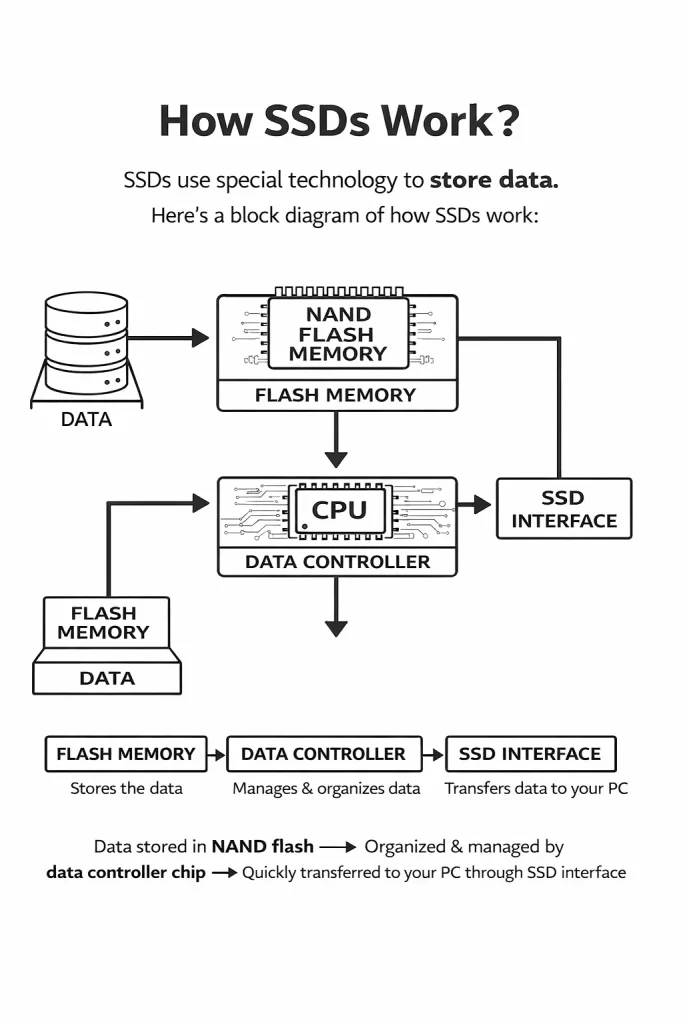
An SATA SSD is a solid state drive that utilizes the sata(SerialATA ) interface, which was traditionally used by hard drives.
It’s constructed with flash memory, so it’s faster than hard disk drives (HDDs), which are made up of spinning metal platters. But not quicker than Sata Interface speed.
Common use cases:
- Everyday home and office PCs
- Older laptops and desktops
- Users upgrading from HDD to SSD for faster boot
If you are still using a traditional hard drive, follow this how to upgrade HDD to SSD guide to improve boot time and overall system speed.
What Is an NVMe SSD?
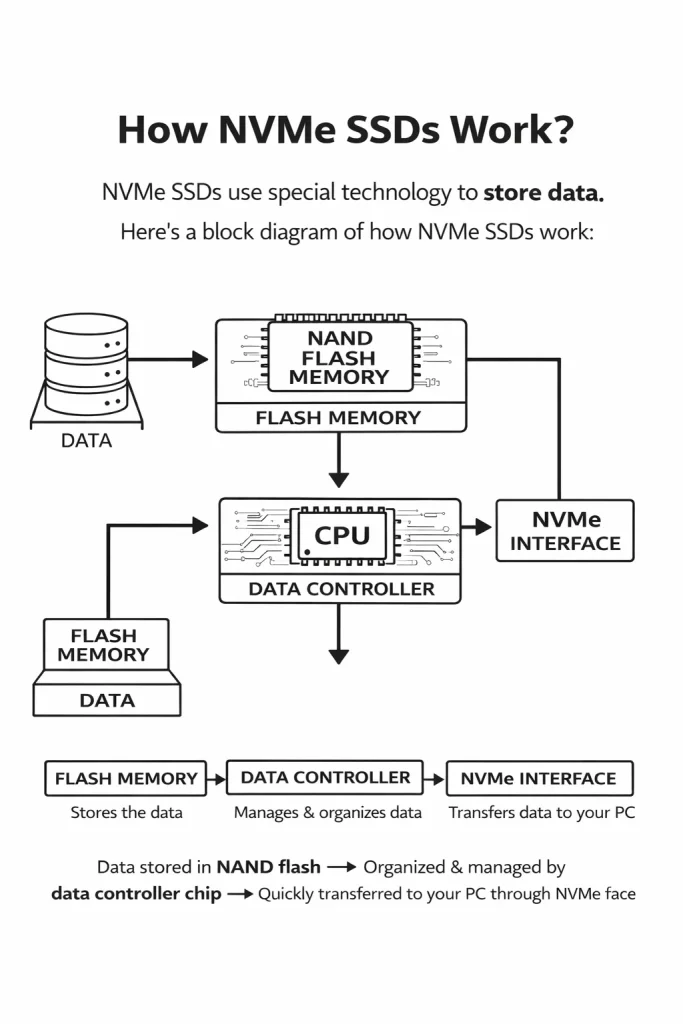
An NVMe SSD is a more modern form of solid-state drive, connecting to your motherboard over the PCIe (Peripheral Component Interconnect Express) interface.
NVMe stands for Non-Volatile Memory Express, developed with high-speed storage in mind.
Common use cases:
- Gaming PCs
- Video editing and content creation
- High-performance laptops and workstations
If you prefer an official document, you can follow the Crucial NVMe PCIe M.2 SSD installation guide (PDF) for clear step-by-step instructions.
Key Differences (Quick Comparison Table)
| Feature | SATA SSD | NVMe SSD |
| Interface | SATA | PCIe |
| Max Speed | 550 MB/s | 3,000–7,000 MB/s |
| Boot Time | Fast | Extremely fast |
| Price | More affordable | More expensive |
| Heat Generation | Low | Higher |
| Best For | Daily tasks | Heavy workloads |
Features Comparison
Speed Technology
SATA SSDs are limited by the SATA interface, no matter how good the SSD is.
NVMe SSDs use PCIe lanes, which allow much higher data transfer rates.
Physical Size
- SATA SSDs usually come in 2.5-inch form factor
- NVMe SSDs are small M.2 sticks, directly mounted on the motherboard
Power Efficiency
Both are energy-efficient, but NVMe SSDs can consume more power under heavy load, especially during gaming or editing.
Performance Comparison
Boot Time
- SATA SSD: Windows boots in 10–15 seconds
- NVMe SSD: Windows boots in 5–8 seconds
You’ll notice the difference, but only slightly during boot.
File Transfer Speed
Copying a large 20GB file:
- SATA SSD: ~40–50 seconds
- NVMe SSD: ~10–15 seconds
This matters more for video editors and power users.
Real-World Usage
For:
- Web browsing
- Office work
- Watching videos
You won’t feel a huge difference between SATA SSD and NVMe SSD.
Ease of Use & Interface
SATA SSD
- Easy to install
- Uses familiar SATA cable
- Works on almost all systems
Perfect for beginners and older PCs.
NVMe SSD
- Requires motherboard support
- Installed directly on motherboard
- Slightly technical for first-time users
Compatibility & System Requirements
SATA SSD Compatibility
- Works with almost all laptops and desktops
- Ideal for older systems
- No BIOS updates usually needed
NVMe SSD Compatibility
- Requires M.2 NVMe slot
- Needs newer motherboard
- BIOS must support NVMe boot
Always check system specs before buying.
Pros & Cons of Each
SATA SSD – Pros
- Affordable price
- Wide compatibility
- Easy installation
- Reliable performance
SATA SSD – Cons
- Limited speed
- Older technology
NVMe SSD – Pros
- Extremely fast performance
- Best for multitasking
- Smaller size
- Future-proof technology
NVMe SSD – Cons
- Higher cost
- Requires compatible hardware
- Can generate more heat
Which One Should You Use? (Recommendations)
Choose SATA SSD If:
- You use your PC for normal tasks
- You want affordable storage
- Your system is old
- You’re upgrading from HDD
Best choice for: students, office users, casual users
Choose NVMe SSD If:
- You edit videos or photos
- You play modern games
- You want the fastest performance
- You have a modern PC or laptop
Best choice for: gamers, creators, professionals
Final Verdict
SATA SSD and NVMe SSD are both excellent upgrades compared to traditional hard drives. For the majority of users, a SATA SSD is still plenty fast and wallet-friendly. But if speed is important to you and your system can handle it, NVMe SSDs are unbeatable.
Also Read: Google Drive vs OneDrive Comparison: Which Cloud Storage Is Better for You?
Frequently Asked Question (FAQ)
Is NVMe SSD much faster than SATA SSD?
Yes, NVMe SSDs are several times faster, especially for large file transfers and heavy tasks.
Can I use NVMe SSD on any motherboard?
No. Your motherboard must support NVMe and have an M.2 slot.
Is SATA SSD still worth buying in 2025?
Absolutely. For everyday tasks, SATA SSDs still perform very well.
Will NVMe SSD improve gaming performance?
Game load times improve, but in-game FPS usually remains the same.
Which SSD is best for Windows 11?
Both work fine, but NVMe SSD provides faster boot and updates.