
If you’ve ever opened Google and randomly thought, “What if this showed my name instead?” — you’re not the only one. I had the same thought one day, and that’s when I started looking for ways to change google name to my name just for fun.
Now obviously, Google doesn’t let you officially replace its logo (no surprise there). However, there is a little workaround to this by using something called Doodle Extension. I attempted it myself, and with all honestly, it works much better than I had anticipated.
So, in this quick article, I’ll explain precisely how I did it. Nothing complicated here — just simple steps you can follow even if you’re not into technical stuff.
What is a Doodle Extension?
By the way, just an idea before we get into it.
Doodle Extension is actually a mini Add-on like managing extension in your browser (most of the time Chrome) to control how Google homepage display. And instead of the regular Google logo you can replace it for a custom text — Like your name, your channel name, or whatever else you may want to insert.
So yeah, when you open Google, it kind of feels like your own version of it.
Not super useful… but definitely fun.
Method: Change Google Name to Your Name Using Doodle Extension
This is the simplest way I found. If your goal is to change google name to my name, this method gets it done in a couple of minutes.
First, open your browser — Chrome works best here. Go to the Chrome Web Store and just search for something like “Custom Google Doodle” or “Doodle Extension”. You’ll see a few options pop up. Just pick one that has decent ratings.
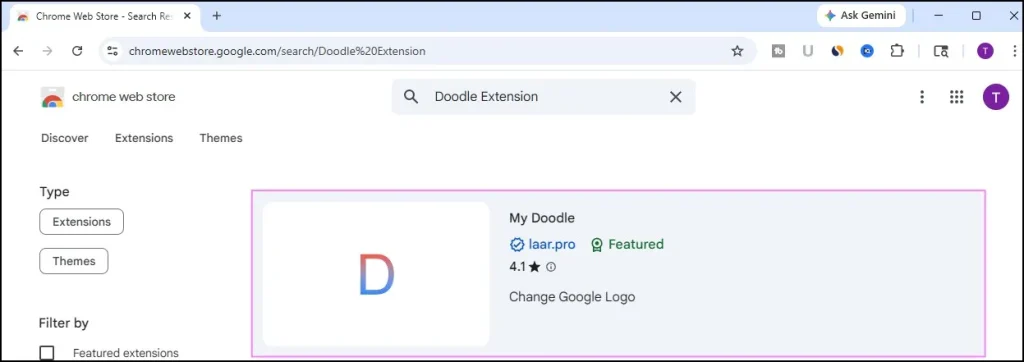
Once you find one, click Add to Chrome.
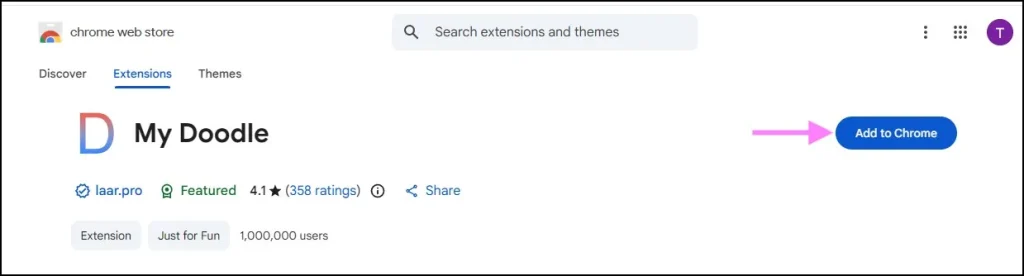
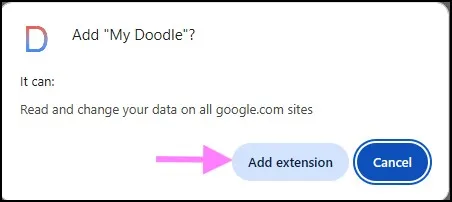
It’ll ask for confirmation — just accept it and let it install. Takes a few seconds.
Now, open a new tab and click on Google. At this stage you should not expect anything to look different, and that is completely normal.
Click on the extension brand icon at the right top. You will see options such as you can customize text, font, colors and so on.
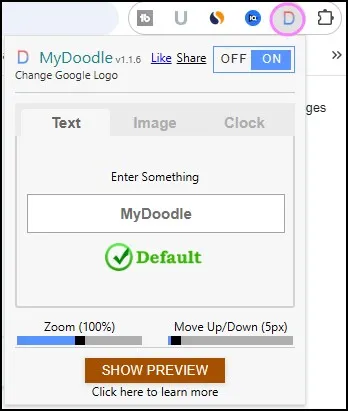
This is where the fun starts.
Type your name in the text box — could be your own name, your YouTube channel name, anything. Then apply the changes.
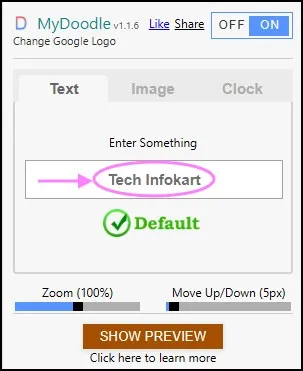
Now just refresh the Google page.
And yeah… that’s it.
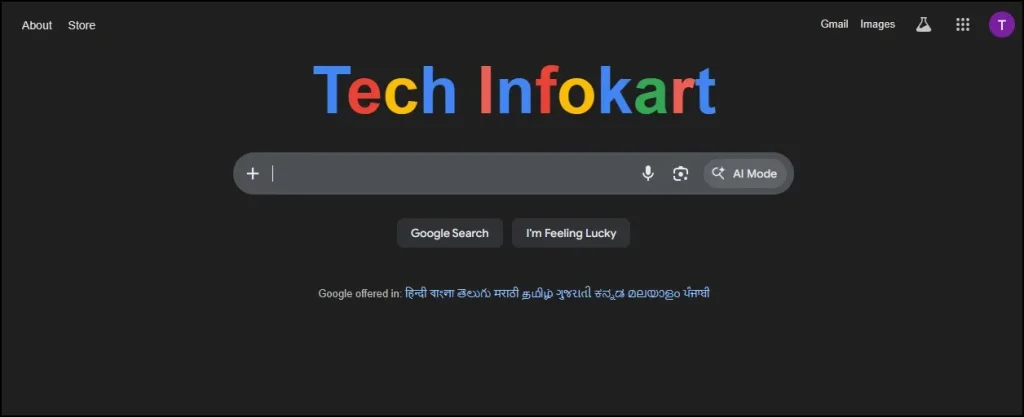
Instead of the Google logo, you’ll now see your own name. That’s how you change google name to my name using the Doodle Extension.
A Small Reality Check
Just to keep expectations clear — this isn’t permanent.
It only works in your browser.
Only you can see it.
And if you remove the extension, everything goes back to normal.
Still, for screenshots, videos, or just messing around a bit — it’s actually pretty cool.
Is It Safe?
Short answer — mostly yes.
Extensions from the Chrome Web Store are generally safe, but I’d still suggest checking reviews before installing anything. Avoid random unknown ones, and don’t allow unnecessary permissions.
If you are doing it through a trusted Doodle Extension, it will be no problem to use this type of tool with using the tool to change google name by my name.
Final Thoughts
That’s pretty much it.
If you were trying to change google name to my name, now you know it’s possible — just not in an official way.
It’s one of those small tweaks that doesn’t really do anything useful, but still feels fun when you see it working. I tried it just out of curiosity, and yeah… it’s oddly satisfying seeing your name on Google.Give it a try once — you’ll get what I mean.
Also Read: How to Add Chrome Extensions to Edge (2 Easy Ways)
Frequently Asked Questions (FAQs)
Can I permanently change Google name to my name?
No, you can’t permanently change it for everyone. You can only customize it in your own browser using tools like Doodle Extension.
Is Doodle Extension free to use?
Yes, most Doodle Extensions are completely free and easy to install.
Does this work on mobile?
Not really. This method mainly works on desktop browsers like Chrome.
Why is my name not showing after installing the extension?
Try refreshing the page, enabling the extension, or switching to another Doodle Extension.
Is it legal to change Google name like this?
Yes, because you’re only customizing your own browser view. It doesn’t affect Google globally.