
We are in an age where society is rapidly advancing in technology, with emulators playing a crucial role in bridging gaps between different platforms. They allow software or games to operate on platforms they weren’t originally designed for. These are useful in various situations, such as gaming enthusiasts revisiting classic games from their youth or developers testing applications across different platforms. This article explores emulators, their types, benefits, and practical applications.
What Are Emulators?
An emulator is essentially tool, either software or hardware, that imitates one system’s functionality on another. It recreate the hardware or software environment of the original system, allowing users to run applications or games smoothly on a different platform. For instance, a gaming emulator might be used to play PlayStation games a Windows PC.
At their heart, they generate translations of commands the source system understands into commands the host system understands. This makes them invaluable for tasks such as running legacy software, testing applications, and even exploring platforms without requiring dedicated hardware.
Types of Emulators
There are different types of emulators serving different needs. Here are the main types:
1. Hardware Emulators
It mirror physical devices, like microcontrollers, printers, networking hardware, or gaming consoles. Such tools are vital for testing, debugging, and developing systems without requiring physical hardware.
These tools can simulate these situations; for example, they can emulate devices such as routers to execute network configuration tests, tools for simulating microcontrollers for making embedded systems, or emulate classic gaming consoles to execute retro games. This versatility is why hardware emulators are essential in professional and hobby environments alike.
- These simulate actual device behaviour— e.g. microcontrollers, printers, gaming consoles.
- Example: Hardware design verification using FPGA-based emulators
2. Software Emulators
Software emulators allow one operating system or software environment to behave like another. For example, with Wine, you could run Windows applications on top of Linux, letting two systems that normally don’t work together to do so.
An example would be running old Windows programs through CrossOver on Mac If you can run the program by doing on Mac then all you need to do is to go ahead and run the program. This comes in especially handy for business or individuals who depend on legacy apps that lack support on newer macOS versions. Another scenario is to testing the old software functionalities, to see how it will act on the platform without affecting bugs.
• They enable one operating system or software to operate on another platform.
• For instance, Wine allows Windows applications to run on Linux.
3. Gaming Emulators
Perhaps the most widely popular kind of software tools is one that is used to play games from older consoles or arcade machines on modern devices. These tools enable people to play retro classics, sometimes with upgraded graphics or additional customization options.
Examples:
- Dolphin Emulator: Enjoy GameCube and Wii games with improved visuals and controller support.

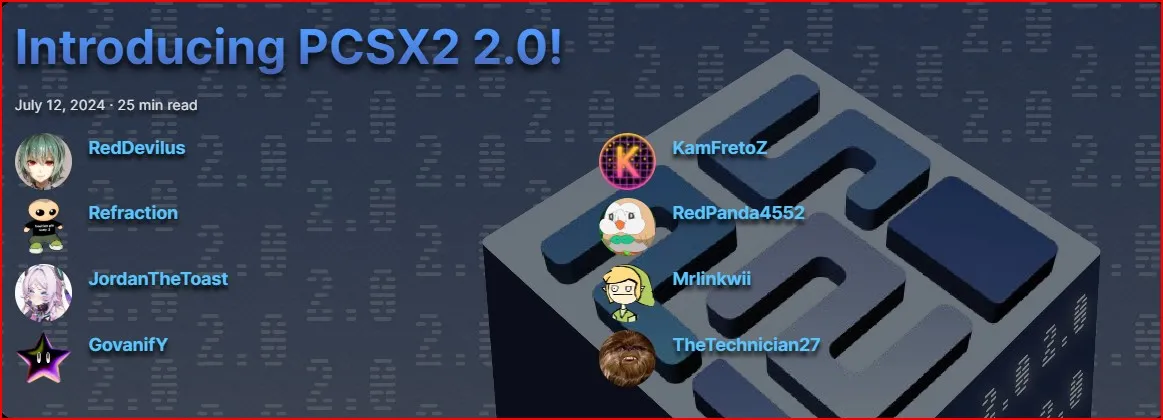
- PCSX2: A PlayStation 2 emulator that allows retro games to live again on desktop computers.
- Citra: This is a powerful Nintendo 3DS emulator which allows you to play handheld games.

- PPSSPP: Specifically for PlayStation Portable (PSP) games with HD resolution and texture scaling.

- RetroArch: A multipurpose cross-platform emulator for NES, SNES, Sega Genesis, etc.

These tools have remained popular among gamers wanting to relive the best part of older games or check out titles they did not experience.
- These are perhaps the most popular type, allowing users to play games from older consoles or arcade machines on modern devices.
- Examples: Dolphin Emulator (GameCube/Wii), PCSX2 (PlayStation 2).
4. Mobile Emulators
Mobile emulators are particularly important for replicating mobile operating systems, enabling use and testing of mobile environments on PCs or Macs. App developers frequently use them to test and debug their applications across a range of devices without needing the actual hardware. Additionally, mobile emulators like BlueStacks allow users to enjoy popular mobile games on larger screens with improved controls. Other applications include checking how websites look and perform by running mobile browsers, or simulating various operating system versions and browsers to ensure compatibility.
- EXAMPLES: Android Studio Emulator, BlueStacks (Android)
- These tools are well known to developers and gamers, and they are designed to mimic mobile operating systems.
- Examples: Android Studio, BlueStacks (Android)
5. Virtual Machine-Based Emulators
QEMU, VirtualBox, and VMware Fusion, run an OS inside another OS as a virtual machine. Virtual machines, on the other hand, are not traditional tools that mirror particular hardware or software functions, but rather, they simulate an entire computing environment, internal hardware components, (CPU, and input-output devices including storage).
For example, a gaming tools like Dolphin is designed to emulate a certain gaming platform, whereas a virtual machine like VirtualBox or VMware will enable you to install and run full operating systems like Linux or macOS on top of Windows. This makes virtual machines more flexible but also resource heavier than other.
- Tools that host full OS in another OS for testing/development.
- Example: VirtualBox, VMware.

Benefits of Emulators
Why Emulators of this kind are important? Let’s explore a few of their major benefits:
1. Cross-Platform Compatibility
It allow software and games to run on platforms they weren’t originally designed for. This comes in particularly handy for running Android apps on Windows PCs or macOS applications on Linux.
2. Cost-Effectiveness
And with these, you don’t have to shell out for pricey hardware. For example, an iOS allows developers to run iOS apps without having an iPhone.
3. Testing and Development
Application developments Emulators are used by developers to test applications in a controlled environment. It allows them to identify and fix issues and optimize their software before it goes live.
4. Access to Legacy Systems
Older software or games that are no longer supported on modern hardware can be legally run through thesae. This preserves a piece of digital history and keeps beloved games alive.
5. Convenience and Portability
Emulators allow users to consolidate many systems’ experiences on one device, with convenience to switch between different platforms.
Limitations of Emulators
While these are incredibly versatile, they do have some limitations:
- Performance: It might not perform as well in comparison to hardware since it can place a heavy load on the system it is working on.
- Compatibility Issues: Some apps and games may not emulate perfectly because they utilize certain hardware features.
- Legal Issues: Violating licensing agreements by running emulators for proprietary software or games.
Real-World Applications for Emulators
They are used in various fields, such as:
1. Software Development
It allow developers to test cross-platform applications without the need for additional devices.
2. Education and Training
It simulate hardware or software environments for educational purposes thereby helping students to study without access to expensive devices.
3. Gaming Nostalgia
Gaming emulators allow playing classic games from older consoles.
4. Cybersecurity and Malware Analysis
Security experts use emulators to study malware in a safe environment without risking real systems.
Conclusion
Emulators are such versatile tools that have changed our interaction with technology. Ideal for developers, gamers, or just anyone who wishes to experiment with different platforms, the options are endless. Yet, you should always be responsible and not use them illegally.
Have you ever emulated anything? Which one is your favourite and why? Tell us in the comments below!
Frequently Asked Question (FAQ)
What are the types of emulators?
The main types are hardware, software, gaming, mobile, and virtual machine-based emulators.
What is the difference between emulators and virtual machines?
Emulators mimic specific hardware or software, while virtual machines replicate entire operating systems within another OS.
Can I run Android apps on a PC using an emulator?
Yes, mobile emulators like BlueStacks or Android Studio Emulator can run Android apps on a PC.
What are some popular emulators?
Examples include Dolphin (GameCube/Wii), PCSX2 (PlayStation 2), BlueStacks (Android), and VirtualBox (virtualization).
Are emulators legal?
They themselves are legal, but using them to play copyrighted software or games without proper licensing may violate copyright laws.